Comparison
FreeShow alternative for churches
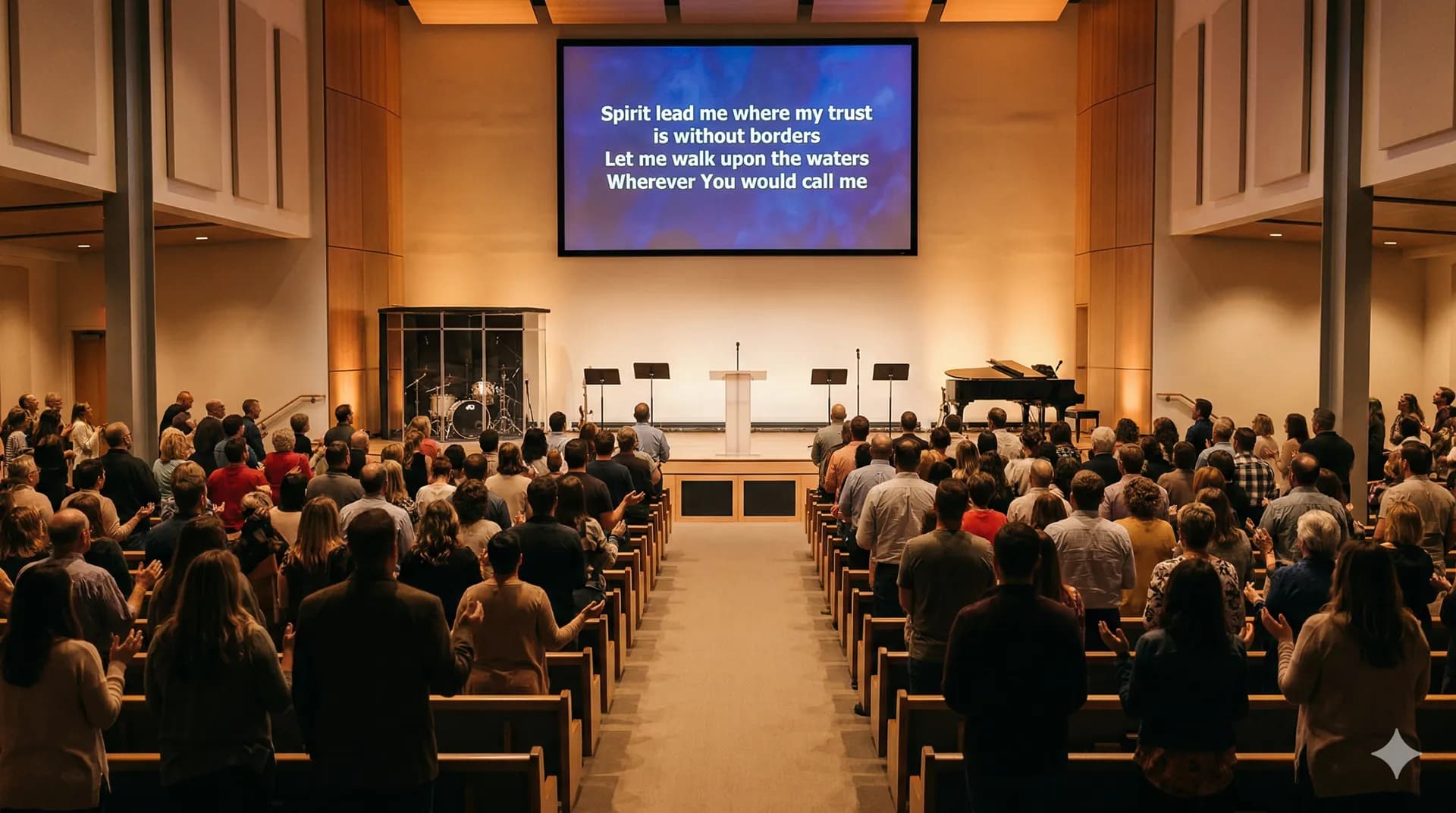
FreeShow is free, open source and installed on the computer. Worshi projects too, even without internet, and on top of that it gets the team who plays ready and translates the sermon live. Here's how they compare.
Open the eyes of my heart, Lord
Open the eyes of my heart
I want to see You
To see You high and lifted up
Shining in the light of Your glory
Pour out Your power and love
"The Lord is my shepherd, I lack nothing. He makes me lie down in green pastures."
— Psalm 23:1-2

Who Worshi is for
For churches where several people prepare Sunday
If one person builds the setlist, another checks the lyrics and a third one projects, and if your musicians need the chords in their key. Preparation lives on the web and happens during the week from any browser, and on Sunday it's projected with the free app for Mac or Windows.
How Worshi really differs
Worshi's difference starts before Sunday: in the chords, on every musician's phone, and in the fact that the song library belongs to the church, not to one computer.
Chords and keys, not just lyrics
Every song stores its chords in ChordPro and transposes by semitones, up or down. Each musician keeps their own key for that song without changing anyone else's.
The band, on their own phones
During the service, every musician follows the lyrics and chords on their phone or tablet, each in their own key and turning their own pages. Works with Bluetooth foot pedals that send the page-turn keys.
Setlist and team, together
Plan the order of service and assign team positions (vocals and instruments) for each service. Invite your team and everyone sees what they're on, with no endless message threads.
No backups to remember
Your song library and setlists live on the web, not on the church computer's hard drive: there are no backups to keep up with, and the desktop app that projects updates itself.
Your church's public songbook
Every church has its own online songbook with its own URL to share with the congregation, showing the lyrics of published songs and their key.
Ready for multilingual churches
The interface is available in English, Spanish, Portuguese and Catalan, and chords can be shown in American or Latin notation, so every musician reads the ones they use.
Live translation
Everyone in your church understands the sermon, whatever language they speak
Worshi listens to the sermon and, a few seconds later, delivers it translated: as subtitles on the screen and on the stream, and with a voice that reads it in the other language. No interpreter, no special equipment: the computer that runs your projection, with the desktop app, and the audio from your mixer or a microphone.
On the projector and on the stream, with the size, position and background band you choose.
A voice reads the translation through the audio output you choose: speakers in a separate room, or headphones.
The preacher's language is detected automatically: a guest speaker doesn't mean changing anything.
Subtitles in the same language as the sermon, for people who are hard of hearing. Uses half the hours.
Included in Pro and Premium, with hours every month. See pricing →
Dios nos llama a amar a nuestro prójimo.
Worshi and FreeShow, side by side
Information from FreeShow's official website and its public repository, checked in October 2026 and reviewed in November. If anything has changed since then, their website always takes precedence.
| Feature | Worshi | FreeShow |
|---|---|---|
| Price | Free-forever plan; Pro at €19.99 a month, with 2 h of live translation, and Premium at €67.99 with 15 h (VAT included). 15 days of Pro free, no card required | Free and open source, “and always will be”, according to their site |
| Installation | Prepared in the browser; to project, a free app for Mac or Windows | Desktop software for Windows, macOS and Linux |
| Works without an internet connection | Yes: the desktop app downloads your services and projects even if the internet goes down | Yes, everything happens on the computer |
| Interface languages | English, Spanish, Portuguese and Catalan | Says it's available in several languages, without listing which |
| Chords and transposition | Yes, in ChordPro, with American or Latin notation | Not part of what they advertise |
| Musicians follow the lyrics on their phone | Yes, live mode on phone or tablet, in each person's key | Remote control from a phone and a stage view for leaders |
| Live sermon translation | Yes: subtitles and translated voice in 78 languages, on screen and on the stream. Included in Pro (2 h a month) and Premium (15 h) | Subtitles via the browser's speech recognition (CAPTION.Ninja) and translation with your own Google Translate key; no translated voice |
| Simultaneous outputs with different looks | Projection and stage display from the desktop app, plus the web output for your livestream | Yes: room, online stream and stage view at the same time |
| Streaming output | Browser source URL with a transparent background, from the desktop app | Web output and NDI support |
| Setlists with assigned musicians and instruments | Yes, with one position per person in each service | Not part of what they advertise |
| Working with several people during the week | Yes: everything is on the web and everyone signs in with their own account | Data lives on the computer where it's installed |
| Public songbook for the congregation | Yes, every church has its own online songbook with its own URL | Not part of what they advertise |
Frequently asked questions
If FreeShow is free and open source, why look at Worshi?
Because projecting is only one part of Sunday. Worshi adds what happens before and around it: chords in each musician's key, the lyrics and chords on their phone during the service, a setlist that several people can prepare together from anywhere, and live translation of the sermon, with subtitles and voice. And it has a free plan to get started.
Which operating systems does each one run on?
The service is prepared in the browser on any computer (Mac, Windows or Linux), but projecting needs Worshi's free desktop app, which is only available for Mac and Windows. FreeShow is desktop software you download for Windows, macOS and Linux.
Which is better for livestreaming the service?
Both get the job done, in different ways. FreeShow advertises a web output and NDI, which is a good fit if your video workflow already uses NDI. Worshi gives you a web address with a transparent background that you paste into an OBS browser source, with no plugins to install and no video sent over the network; it's served by the desktop app while it projects.
Does Worshi work without internet?
Yes, for projection. The desktop app for Mac and Windows downloads your services to the church computer and projects them even if the internet goes down; anything you change in the meantime syncs automatically when the connection comes back, and the OBS output keeps working over the local network. What needs internet is preparing the service on the web, and live translation.
Can I move my songs from FreeShow to Worshi?
Yes, with AI import on the Pro and Premium plans: paste the song text, upload a PDF or take photos of your songbook, and Worshi rebuilds the sections and where each chord goes. It's worth checking the result before saving. You can also type them into its chord editor, in ChordPro.
Try it with your team
Sign up and start with 15 days of Pro for free, no card needed. Afterwards, your church stays on the free plan.
Start free